

I’ve drawn Alpha Zeta for a long time. From the beginning I wanted to turn him into a web comic series. I also had a pipe dream of one day making a cartoon series. The problem was time, and in some cases, skill. I’m a professional software engineer with an interest in cartooning, and there are limits to what I can produce on my own.
That hurdle is what led me to build Zeta Comic Generator, an AI-powered web app that can generate Alpha Zeta comics from a single story premise. It let me use the skills I already had, software design, systems thinking, and some artistic talent, to compensate for the parts of the process that would otherwise stop me. In that sense, the leap into comics was easy. I had been watching AI video generators since they first appeared. The thought of an animated cartoon grew as the models progressed. I waited a while for them to improve to the point where I felt confident I could get results with them.
I started to see short-form AI videos on social media where the same character would persist from clip to clip. This is a fairly recent innovation, where models accept reference assets as part of the prompt. If I could use my own art as a reference point, the idea of animating Alpha seemed like a possibility. I already had years of Alpha artwork to draw from. Because I work in layers, I can separate him from old backgrounds and reuse him cleanly. I already knew image generators could produce decent facsimiles of Alpha from example uploads. All of this was enough to suggest that an animated Alpha Zeta was worth a try.
The result is Selfie, a 30-second AI-generated video short. The story is based on a gag I had already drawn years ago: Alpha Zeta in the Nevada desert, delighted to find the famous Extraterrestrial Highway sign, takes a selfie in front of it. The video expands on the joke implied from the static image.
From Idea to Keyframes
The process started in a way I often use AI: I talked it out. I opened a real-time voice session with ChatGPT and narrated the entire idea as I pictured it. It’s just faster and easier for me to speak than to type. GPT turned my narration into a bullet list of story beats, and that bullet list became my first pass at the keyframes.
From there, I used existing Alpha drawings in ChatGPT to generate placeholder images. This way I could start testing video tools before drawing everything properly. I tried a few generators, including Sora. I eventually settled on Google Veo, accessed through Adobe Firefly because I had credits through my Adobe subscription. More importantly, Veo did the best job preserving the look of my character. That last point mattered more to me than anything else.
Why I Built AI Storyboard
Even with keyframes, I still had to write detailed prompts for each transition. At first I was doing that in the AI video app, but editing in that little chat-style input box was miserable and I had no way of saving each prompt for reuse. After a while, I moved the writing into a text editor. Then I found myself constantly switching windows to check the keyframes. Next I tried a Google Doc, with the images placed inline, but page breaks became a problem.
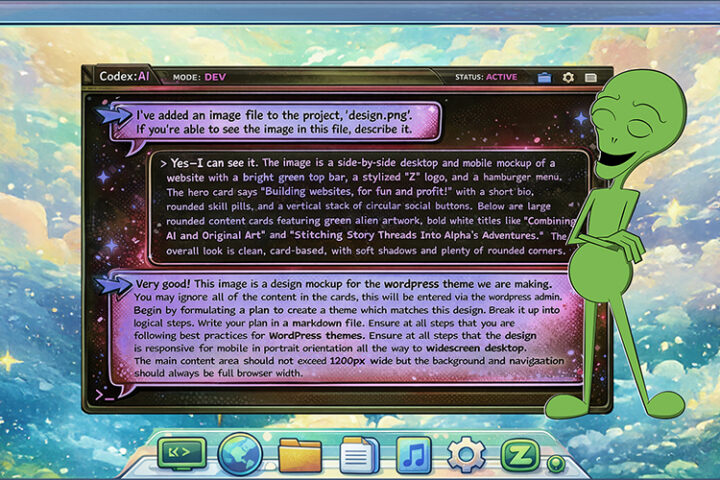
I realized it would be faster to build a small tool than to keep fighting the interface. So I used OpenAI Codex to build a web app I call AI Storyboard. The first version took about ten minutes. I spent another two to four hours refining it. I published it to GitHub because I figured other people might find it useful too.

The app is extremely simple by design. You upload your story images in order. It lays them out horizontally like a movie storyboard. Between each pair of images, it inserts an editable text area where you can write the video prompt. You can add or remove keyframes anywhere in the sequence as the video evolves. There’s a copy button under each text area so you can quickly paste the prompt into the generator. There’s also a text export, plus an HTML export that saves the entire storyboard as a static web page.
It’s a barebones web app by design. No npm packages, no build tools, no server-side code. It stores everything in browser local storage. I wanted something anyone with basic web development experience could open up, understand, and use. I wasn’t trying to build a professional product. I just needed a quick, clean tool for a very specific job.
In keeping with the theme of this project, the code is 100 percent AI-generated. My contribution was software architecture, where more than twenty years of engineering experience matters. I specified the project structure, explained how the parts of the program should interface, and decided which browser APIs are appropriate. When I code with AI, I define the scope tightly enough that the AI produces something clean and predictable.
In programming, I prefer this close-guided approach to AI rather than turning an agent loose and hoping it does something useful. When I guide it tightly, the result is usually very close to what I would write myself. That’s how I avoid the kind of “AI slop” people complain about.
Understanding the Video Model
If there’s one thing this project taught me, it’s that AI video has its own grammar. My initial instinct was to think of my uploads as reference images. In terms of actions, the way I might imagine them in a cartoon. The model did not want to resolve clips cleanly when Alpha was shown mid-action. One of the first hard lessons the model taught me was that it worked best in keyframes. Not just any keyframe. It needed to show the character at rest, before and after each action. And leave the action to descriptive text in the prompt. Once I understood that, I stopped trying to force it.
That limitation changed the structure of the script. Instead of thinking in loose cinematic terms, I broke the whole thing into a sequence of simple actions:
- Flying saucer lands
- Alpha steps out
- Alpha walks right
- Alpha walks left
- Alpha reacts to sign
- Closeup of sign
- Alpha takes selfie
- Selfie appears on an alien social network
Those statements represent the text prompts, and the illustrated keyframes sit naturally between them. Once I described the piece as a chain of verbs, the storyboard became much clearer.

AI limitations also forced me to cut material. In the original concept, Alpha didn’t immediately see the sign. He turned and walked smack into the sign pole like something out of a Warner Bros. cartoon. I must have tried two dozen times to get that shot to work. Alpha always looked like he was moving in slow motion, and for some reason he kept grabbing the pole as he hit it. Eventually I cut the gag. That was frustrating, but it was educational. The model was telling me what kind of action it could and could not handle.
I Still Draw Alpha By Hand

The visual consistency between Selfie and my other work comes from the fact that I drew the keyframes myself. Regardless of what AI tools I use, Alpha is hand drawn by me. That’s always been my approach as an AI-assisted artist. Similar to cell based animation, my hand-drawn character is placed on AI-generated backgrounds. So for Selfie that was already part of my visual language, not a technical requirement.
For the short, I reused three existing Alpha poses and drew two new ones. I also reused the road sign from the original work. The desert background and flying saucer were AI-generated for the video. The final scene, where the selfie is posted to an extraterrestrial social media, was built from a static AI-generated image.
Hand-drawn keyframes matter for character consistency because models still interpret. They get better with each generation, but they still can’t match my style exactly. I’ve been working with image generators for years. Earlier models would look at one of my drawings, recognize it as “green alien,” and then output their own version of a green alien. I’d get human-style eyes. I’d get antennae. All kinds of details that were similar but dead wrong. Newer GPT image models can get much closer, and I use them often for reference art, but they still do not replicate my drawing style exactly.
The keyframes solved that problem in the video generator by acting like guardrails. Since each clip only runs about four to eight seconds, the video model never gets a chance to drift very far from my version of Alpha.
Prompting Control
People sometimes underestimate how much prompting still matters, even when you have strong visual references. Every clip still needed a thorough prompt. Even when it seemed obvious from the keyframes what should happen, I repeatedly specified things like “in the style of an animated cartoon.” I also included the same description of the Nevada desert background each time, along with a boilerplate explanation of what Alpha is.
A surprising amount of prompt writing was defensive. Alpha’s eyes are big, black, and glossy. There’s no white in them except for a highlight. The model constantly wanted to give him white eyes with pupils, as if it could not stop itself from trying to normalize him into a more human face. I found that even certain words could trigger problems. Using words like “looks at” seemed to make the model more likely to produce human-looking eyes.
There were other recurring problems too. Alpha’s hands have three fingers and a thumb. The model wanted to give him four fingers. His feet are smooth shapes without toes. The model kept adding toes. It also liked to invent dialogue for him. In one clip, completely unprompted, he began by saying “Ahh-ooo-gah” like an antique car horn. That came out of nowhere.
This is why I don’t think of prompting as some kind of mystical art. It’s about directing a machine that has strong default assumptions and needs to be corrected constantly. A good prompt was not just a description of the action. It was a bundle of constraints designed to stop the model from “fixing” my character into something more generic.
Editing the Outputs
Another thing I learned quickly is that you can’t rely on generated clips as finished audiovisual units. At first I assumed the audio would simply travel with the video. In practice, that doesn’t work very well. Even if two generations are based on the same prompt, the audio changes with each generation. That creates continuity problems when you cut clips together.
I got lucky with the desert setting because I could lay a wind track under much of the short and smooth over the transitions. But beyond that, I started evaluating the outputs in pieces. Some clips had good video and bad audio. Others had bad video and a perfect sound effect. So while reviewing my generations, I would tag some of them as “good audio” and cut those elements out to place where I needed them when editing.
That turned out to be one of the more useful mindset shifts of the whole project. AI outputs are not always finished scenes. Often, they are just raw material.
The Result
My Philosophy on AI

I’m not ashamed to say I use AI as a crutch, and I don’t mean that negatively. If someone can’t walk, they use a crutch and now they can walk. There are things I can’t draw, so I use AI to draw them. Sometimes I use that output as reference. Other times I use it directly alongside my own drawing. I apply the same philosophy to programming. There is code I could write myself, but the AI can write the same thing orders of magnitude faster. There is code I could manually trace for hours, but AI can read it faster and bring me to the exact line I need to inspect. I use it the same way in general writing as well.
It lets me do more of the things I already do. Faster, broader, and at a scale that would otherwise be unrealistic. That is the real story behind both Selfie and AI Storyboard. Neither one is about surrendering authorship to a machine. They are about using AI as part of a deliberate production process.
Looking to the Future
The goal of Selfie was not to make an epic. The goal was to prove that animating Alpha Zeta was technically possible. Now that I know it is, I want to make something longer, a story with more substance behind it. I also want to see what the next few generations of video models can do. Right now, keyframing gives me the level of control I need. Ideally, I would be able to upload reference images of Alpha and generate longer, more coherent sequences from prompts alone.
More broadly, I think AI is going to become a standard production tool for visual media in the same way the camera became a standard artistic medium. Photography didn’t end portraiture, but it completely changed the economics and expectations around it. I think AI will do something similar for creative work. It will become its own medium, with its own strengths, weaknesses, and aesthetics. I also think it will dramatically reshape movie effects work. In time, I expect AI to replace nearly all traditional 3D modeling. Anyone working in that space should be paying attention.
For programmers and creatives alike, that’s the bigger point I’d emphasize. The skill is not just “using AI.” The skill is understanding how to identify AI constraints, guide outputs, and preserve intent. That was the goal of Selfie. I wasn’t asking AI to make art for me. I was building a production process around it. And for the first time, that process was good enough to put Alpha Zeta into motion.